Trace Downloading
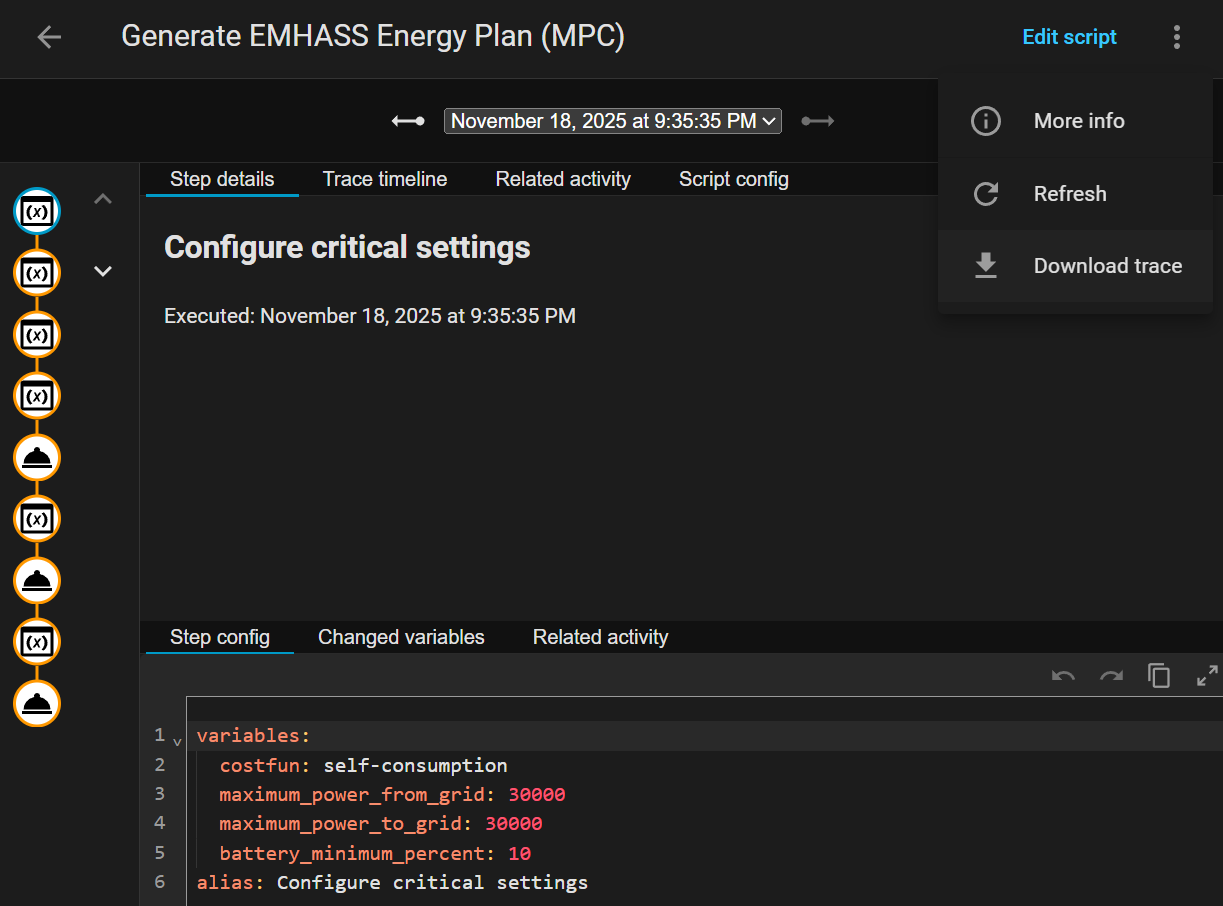
The EMHASS script trace is a JSON file that contains all the information sent to EMHASS from Home Assistant. It is great for debugging as you can verify that all the sensors are working and that the data sent to EMHASS is correct.
- Open the Generate EMHASS Energy Plan script (note: not the automation)
- Click the Traces icon up the top right
- Click the 3 dots up the top right
- Click Download trace
Here is an example trace if you would like to compare.
Common Issues
Section titled “Common Issues”1. Invalid inverter settings
Section titled “1. Invalid inverter settings”Under sequence/5 there should be a payload that should contain all the inverter parameters. e.g.
"battery_charge_power_max": 25200,
"battery_discharge_power_max": 28800,
"maximum_power_from_grid": 45000,
"maximum_power_to_grid": 30000,
"inverter_ac_output_max": 30000,
"inverter_ac_input_max": 30000,
Make sure these all have values and they are in watts.
2. Invalid current Load/Price/PV
Section titled “2. Invalid current Load/Price/PV”Check the first value under all these lists of values:
load_cost_forecastprod_price_forecastload_power_forecastpv_power_forecast
Make sure they look correct and valid.